


Our addons Gold auditing
Absolute Assurance.
Know where the gold came from before it lands in your bags. Absolute Assurance audits any player's wealth against Blizzard's own statistics, warns you in trades when their gold can't be explained by playing, and keeps a dated record of every copper you receive.
Version 1.4.6 · one file for both WoW Forever and Retail.
See it in game
Check the gold before you take it
Click any screenshot to see it full size.
Features
Everything you need to trade with confidence
Audit any player
- Compares peak gold with gold earned by playing
- Untraced gold shown on a green and red split bar
- Verdicts: CLEAR, WATCH, HIGH RISK, FLAGGED or NO DATA
- A 0-100 risk score with plain-English findings
Auction house red flags
- Spots outsized auction purchases, how gold sellers deliver
- Spots outsized single sales and removes them from earned income
- Re-audit before a big trade to see recent outside gold
Trade Guard
- Audits your trade partner the moment a trade opens
- Verdict banner above the trade window
- Nuclear air-raid siren or raid warning when risky gold is offered
- A Review risk shield covers Trade until you click it
My Gold ledger
- Every copper in and out, dated and matched to its source
- Trades, mail, loot, quests, vendors, auctions, flights and trainers
- Bank, guild bank and Warband bank moves kept separate
- Who paid you: every sender ranked with their rating
Details and History
- Income, spending, auction house, activity and professions
- Every saved audit of a character, with changes since the last
- Outside-gold changes highlighted in red
Watchlist and flags
- Everyone you've audited, sorted by risk
- Search by name, guild, realm or class
- Private flags with notes always trigger Trade Guard
A clean console
- Background opacity from solid to fully transparent
- Fade when the mouse is away, plus lockable position
- Text size 70-150% and window scale 60-160%
- Copy a plain-text audit report
Private by design
- Everything runs and is stored on your computer
- Never posts to chat or scans players in the background
- Only audits when you ask or a trade opens
Both games, one download
- Works on WoW Forever and Retail (Midnight)
- Thresholds sized for each game's gold
- Minimap button and Retail addon compartment entry
Install
Up and running in a minute
Download the addon
AbsoluteAssurance-1.4.6.zip works on both WoW Forever and Retail.
Unzip it into AddOns
Extract it into that game’s
Interface\AddOnsfolder, so you end up with anAbsoluteAssurancefolder there.Start the game
Or type
/reloadif it is already running.Open it
Type
/assureor click the minimap button. Updating? Replace the old folder; your settings are kept.
Commands
/assure | Open or close the audit console (also /irsv) |
/assure target | Audit your target |
/assure me | Audit yourself |
/assure history | Open the History tab |
/assure ledger | Open My Gold |
/assure watch | Open the Watchlist |
/assure flag [note] | Flag your target, with an optional note |
/assure unflag | Remove the flag from your target |
/assure trade on|off | Turn Trade Guard on or off |
/assure alarm nuke|raid|test | Choose the nuclear siren or raid warning, or play the alarm now |
/assure alert <gold> | Gold offered by a risky player that triggers the warning |
/assure minimap on|off | Show or hide the minimap button |
/assure settings | Open Settings |
/assure about | Open About: website, support email and version |
Type /assure status to check your version and setup.
What’s new in 1.4.6
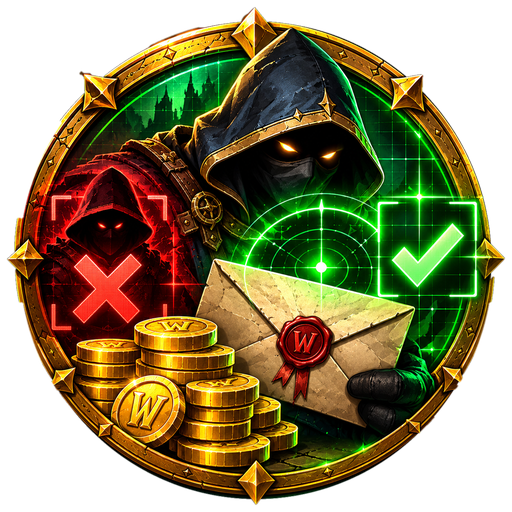
- A new logo and icon: a hooded auditor with a sealed letter and a stack of gold coins, a red X for bought gold and a green check for clean gold, in a gold Absolute frame.
- Used everywhere: it replaces the old icon in the addon list, the window title, the About tab, the Trade Guard banner and the minimap button.
- Sharper at any size: the in-game icon is now 256x256, and the addon list shows the name in the Absolute family colors.
Found a bug in Absolute Assurance? Send us a report with screenshots. Every report is reviewed, and fixes ship in the next update.
Report a bugQuestions, tips or ideas? Talk about this addon with other players on our Discord.